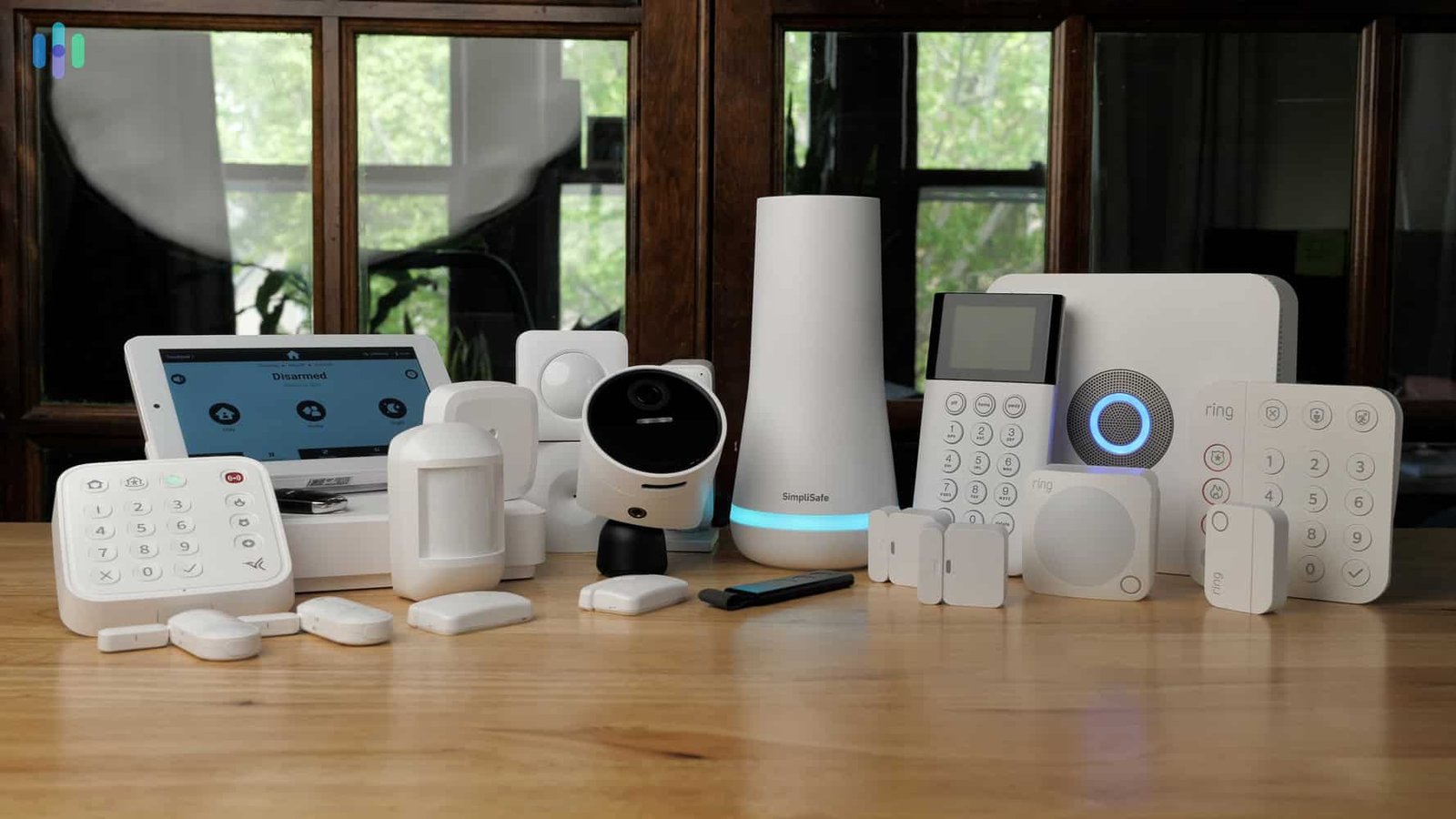
You don’t need to spend Rs. 50,000 to feel safe in your own home. That’s the thing nobody tells you when you start Googling security systems — the ads all push premium packages, but genuinely affordable home security systems exist, and a lot of them work just as well for everyday needs. Whether you’re renting a one-bedroom flat or watching over a house while your parents are away for a wedding, the right setup doesn’t have to cost a fortune. In this guide, I’ll break down what actually matters when you’re working with a smaller budget, what to skip, and where it’s worth spending a little extra.
Why “Affordable” Doesn’t Mean “Weak Protection”
Affordable home security systems get an unfair reputation. People assume cheap means flimsy, but honestly, the security tech market has changed a lot in the last few years.
Camera sensors have gotten better, cloud storage has gotten cheaper, and a lot of the “premium” features from five years ago — night vision, motion alerts, two-way audio — are now standard even on entry-level devices. I’ve noticed a real shift here: a Rs. 2,500 smart camera today often outperforms a Rs. 8,000 one from 2020.
What you’re really paying extra for at the premium end is usually brand name, professional monitoring, and sometimes better build quality for outdoor units. For most apartment dwellers, that extra spend just isn’t necessary.
Key Features to Look for in a Budget Security Setup
Direct answer: A solid budget security setup needs motion detection, mobile app alerts, decent night vision, and either local (SD card) or cloud storage. Anything beyond that — professional monitoring, multiple zones, smart locks — is a nice-to-have, not a requirement, for most small homes.
Here’s what I’d actually prioritize, in rough order:
- Motion-activated alerts — this is non-negotiable; a camera that only records but doesn’t notify you in real time isn’t doing its job
- Night vision quality — check for actual specs, not just “night vision available.” Infrared range matters more than the marketing copy suggests
- Storage options — local SD storage is cheaper long-term, but cloud backup protects you if someone steals the camera or SD card
- Two-way audio — surprisingly useful for scaring off a porch package thief, or just checking on kids or pets
- App reliability — read reviews specifically about the app, not just the hardware. A great camera with a laggy app is frustrating to actually use daily
One thing I’d skip if you’re tight on budget: facial recognition. It sounds impressive, but for most homes it adds cost without much real benefit.
Best Types of Affordable Home Security Systems for Renters
If you’re renting, drilling holes for wired systems is usually off the table anyway — which actually works in your favor here.
Wireless Smart Cameras
These are the backbone of most affordable home security systems today. Battery-powered or plug-in models stick to walls with adhesive mounts, need no wiring, and can move with you when your lease ends. Expect to pay anywhere from Rs. 1,500-4,000 per camera depending on resolution and brand.
Video Doorbells
A smart doorbell covers your entryway specifically, which — let’s be honest — is where most break-in attempts and package thefts actually happen. Good entry-level options run Rs. 3,000-6,000.
Door and Window Sensors
Cheap, small, and genuinely effective. A basic sensor kit of 4-6 units typically costs under Rs. 2,000 and alerts you the moment a door or window opens when it shouldn’t.
[link to related guide on wireless vs wired security cameras here]
DIY vs Professional Installation: What Actually Saves You Money
Direct answer: DIY installation saves 100% of labor costs and works fine for wireless cameras and sensors. Professional installation makes more sense only for wired systems, multi-story homes, or if you’re not comfortable with basic app setup — otherwise, it’s an unnecessary expense.
I’ll be honest — I think most people overpay for installation they don’t need. Modern wireless systems are genuinely built for a 15-minute self-setup. You mount the camera, download the app, connect to WiFi, done.
Where professional installation earns its cost:
- Wired systems requiring drilling or cable routing through walls
- Large homes needing 8+ cameras with overlapping coverage zones
- Integration with existing alarm systems or smart home hubs
- Situations where you genuinely don’t trust yourself with the tech setup (no shame in that)
Picture a small business owner in Jaipur running a two-room boutique shop. She didn’t need a Rs. 15,000 professional install — two wireless cameras covering the entrance and cash counter, self-installed in an afternoon, did the job for under Rs. 6,000 total. That’s the kind of math that matters when you’re watching your budget.
Monthly Costs: Subscription vs No-Subscription Systems
This is where a lot of people get caught off guard. The camera itself might be cheap, but some brands lock essential features — like cloud video history beyond 24 hours — behind a monthly subscription.
- No-subscription systems: Rely on local SD card storage. One-time cost, no recurring fees, but you lose footage if the card or camera is damaged/stolen
- Subscription-based systems: Usually Rs. 99-399/month, offering 7-30 days of cloud storage plus sometimes AI features like person detection
- Hybrid systems: Increasingly common — local storage as a free default, with optional cloud backup for an extra fee
My honest take? For a single-camera setup protecting a small flat, skip the subscription. Local storage is enough. If you’re covering a full house with 4+ cameras, a modest subscription starts to make more sense, since losing footage from a real incident would sting a lot more.
Smart Locks and Alarm Systems on a Budget
Cameras get all the attention, but a affordable home security system built only around cameras has a gap — cameras record, they don’t prevent.
Budget Smart Locks
Entry-level smart locks with keypad or app access typically start around Rs. 4,000-7,000. They won’t have every bell and whistle of premium models, but auto-lock and access logs — the features that actually matter day-to-day — are usually included even at this price point.
Basic Alarm Systems
A simple motion-sensor alarm with a loud siren (100+ decibels) can be had for under Rs. 1,500. Is it as sophisticated as a monitored alarm service? No. But a loud, sudden siren is genuinely one of the most effective deterrents there is — most intruders bolt the second an alarm triggers, monitored or not.
Combining a basic alarm with even one or two smart cameras covers most of what a mid-range “complete” security package offers, at a fraction of the price.
[link to related guide on smart home automation for renters here]
Common Mistakes People Make When Buying on a Budget
I’ve seen a lot of these play out, and they’re avoidable.
- Buying too many cameras upfront instead of starting with entry points and expanding later
- Ignoring WiFi range — a camera that keeps disconnecting is worse than no camera, because it creates a false sense of security
- Skipping the app reviews and only checking hardware reviews
- Assuming higher megapixels always means better footage (frame rate and low-light performance matter more in practice)
- Not checking whether the brand has been around long enough that firmware updates are still happening
That last one trips people up more than you’d think. A camera brand that goes quiet on updates within a year or two leaves you stuck with unpatched security vulnerabilities — which, for a security device specifically, is a pretty ironic problem to have.
Building a Complete System Under Rs. 15,000
Here’s a realistic breakdown for a small apartment or house, assuming you’re prioritizing coverage over brand prestige:
- 2 wireless indoor/outdoor cameras: Rs. 6,000-8,000
- 1 video doorbell: Rs. 3,500
- Door/window sensor kit (4 units): Rs. 1,800
- Basic motion alarm: Rs. 1,200
That lands you around Rs. 12,500-14,500 total, with zero ongoing subscription costs if you stick to local storage. Add a modest cloud subscription later if you decide you need it — there’s no rule saying you have to commit to everything on day one.
Frequently Asked Questions
What’s the cheapest way to secure a home in 2026? A combination of 1-2 wireless cameras at entry points plus a basic motion alarm covers the essentials for under Rs. 5,000. It’s not a complete system, but it addresses the two most common break-in scenarios — the front door and obvious points of entry.
Do affordable home security systems actually work as well as expensive ones? For most residential needs, yes. The core detection and alert technology has become pretty standardized across price ranges. Where expensive systems pull ahead is in professional monitoring, build durability for harsh weather, and extra AI features most homes don’t strictly need.
Is a subscription really necessary for home security cameras? Not always. If you’re comfortable relying on local SD card storage and don’t need extended cloud footage history, you can skip subscriptions entirely and still get solid protection.
How many cameras does a small apartment actually need? Two cameras — one covering the main entrance and one covering a secondary access point like a balcony or back door — is usually enough for a typical 1-2 BHK flat.
Can I install a home security system myself, or do I need a professional? Most wireless systems are genuinely designed for self-installation, no tools or technical background needed beyond connecting to your WiFi. Professional help is really only needed for wired setups or larger, multi-camera configurations.
Are budget home security cameras safe from hacking? Reputable budget brands with regular firmware updates are reasonably safe, provided you use strong, unique passwords and enable two-factor authentication where available. Avoid unbranded or no-name cameras with no update history — that’s where the real risk lies.
Conclusion
Good home protection doesn’t have to come with a premium price tag. A thoughtful mix of wireless cameras, door sensors, and a basic alarm can cover most of what a small home genuinely needs — and affordable home security systems in 2026 are honestly more capable than they’ve ever been. Start small, cover your entry points first, and expand only if you find you actually need more.
If you’re not sure where to start, pick just one camera for your front door this week. Get comfortable with the app, see how it fits your routine, and build out from there — you don’t need to solve the whole problem on day one.